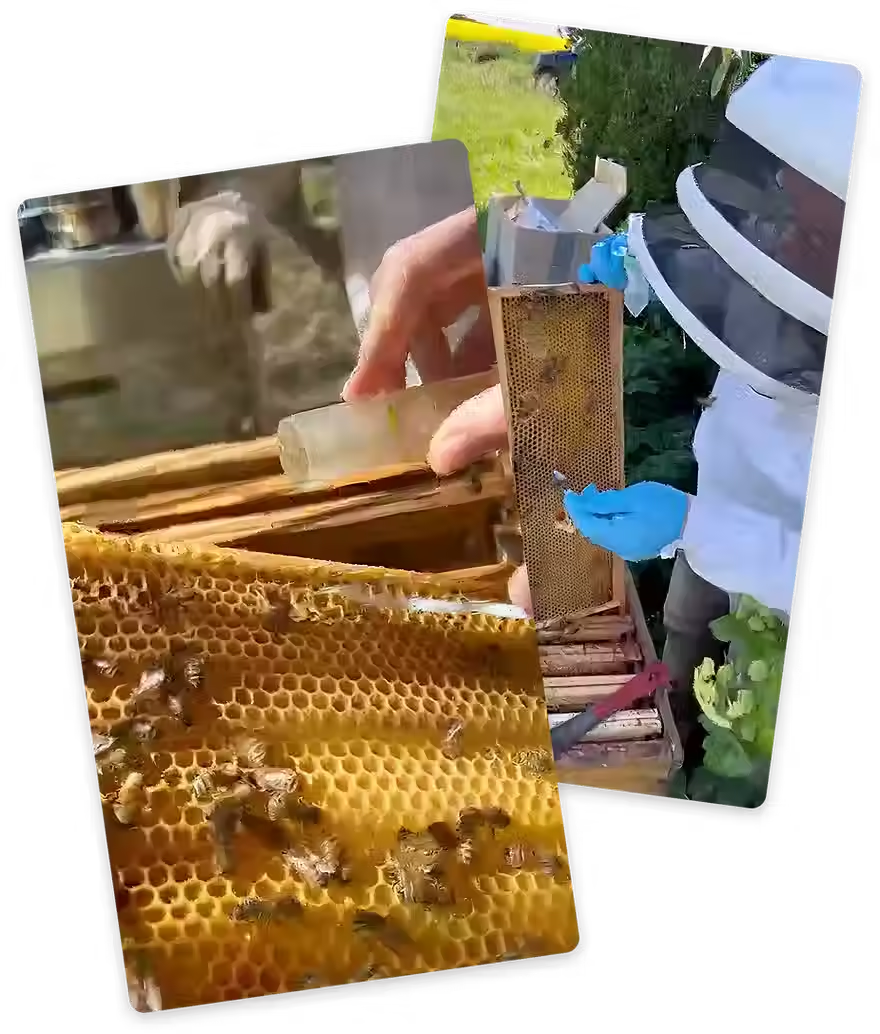
Data Collector Training Deck
Building Meaningful Biodiversity Data
-
Ensure you know the possible hive locations for your site
-
Install both apps:
-
Link to download HiveTracks
-
Link to download Bio
-
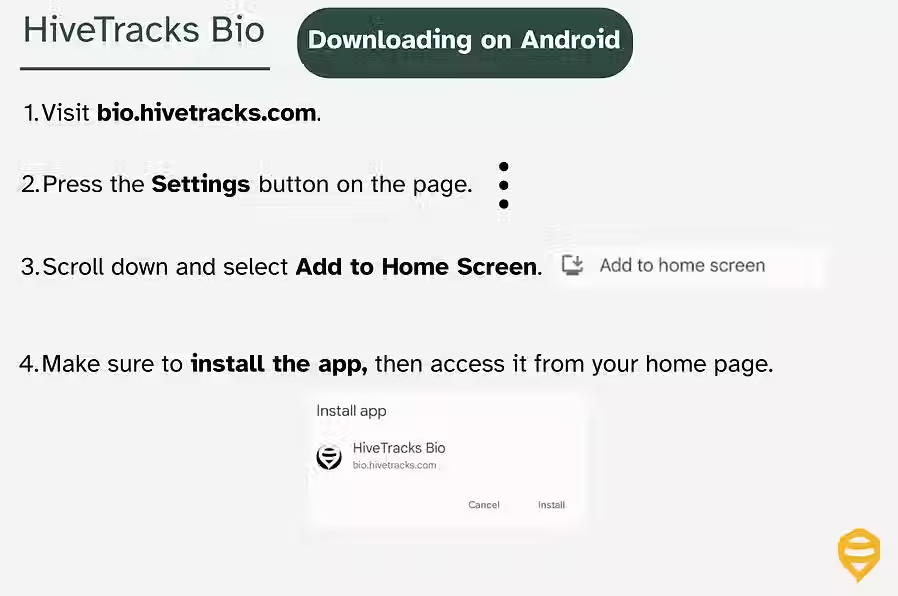
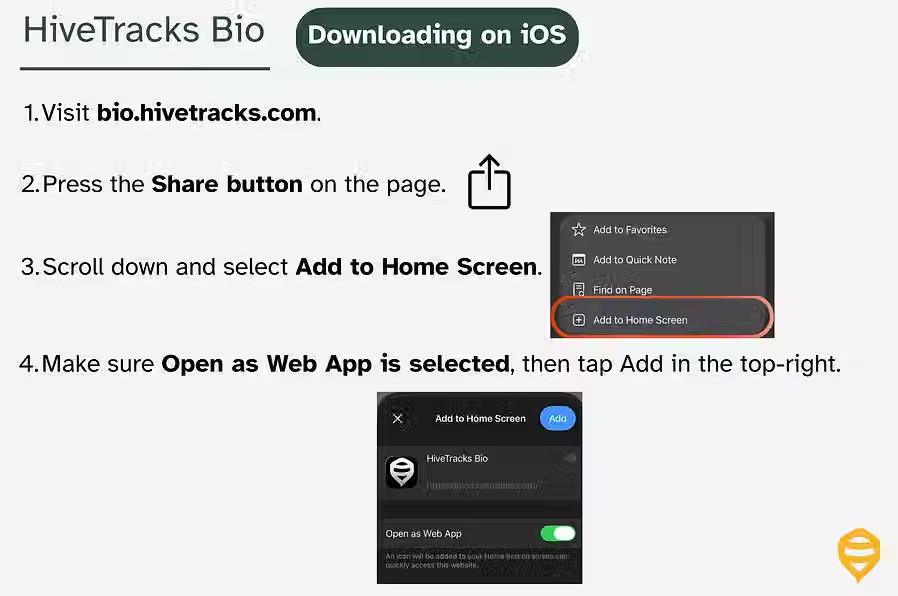
See image for download instructions
-
Guide for downloading Bio
-
-
Ensure your phone is charged before going to the field
-
Ensure you have the contact information for your site contact
-
Bring all equipment, including hives, scale, and PPE if necessary for site
-
Setting up Apiary
Adding Hives to your Apiary

Log into the HiveTracks Bio App using the email address associated with the account.
Navigate the site to reach your first quadrat or transect.

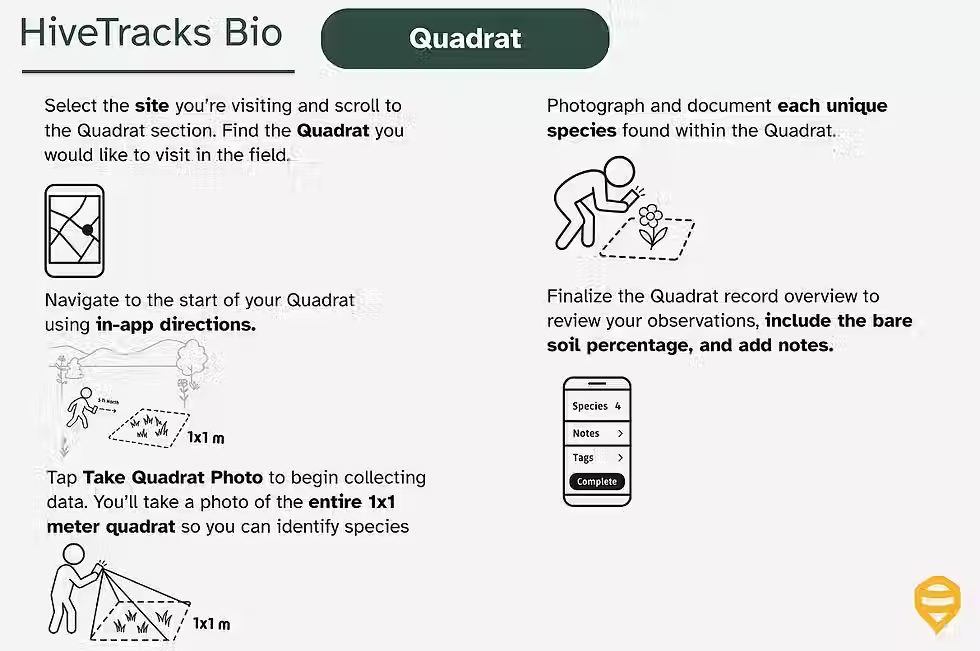
A quadrat is a 1m × 1m plant survey used to record vegetation within a defined square area. This means that quadrats are roughly the size of a large sofa cushion. A folding 2m ruler can be used to size the quadrat for consistency.
In HiveTracks Bio, quadrats appear as gray dots on the site map before they have been visited.

.avif)
A transect is a structured survey conducted along a defined path to record plant and pollinator activity.
A Transect should be 10m and has defined start and end locations on the site map
Transects must only be completed during flyable hours:
-
60–100°F (15–39°C)
-
Winds below 15 MPH (24 km/h)
-
No precipitation

-
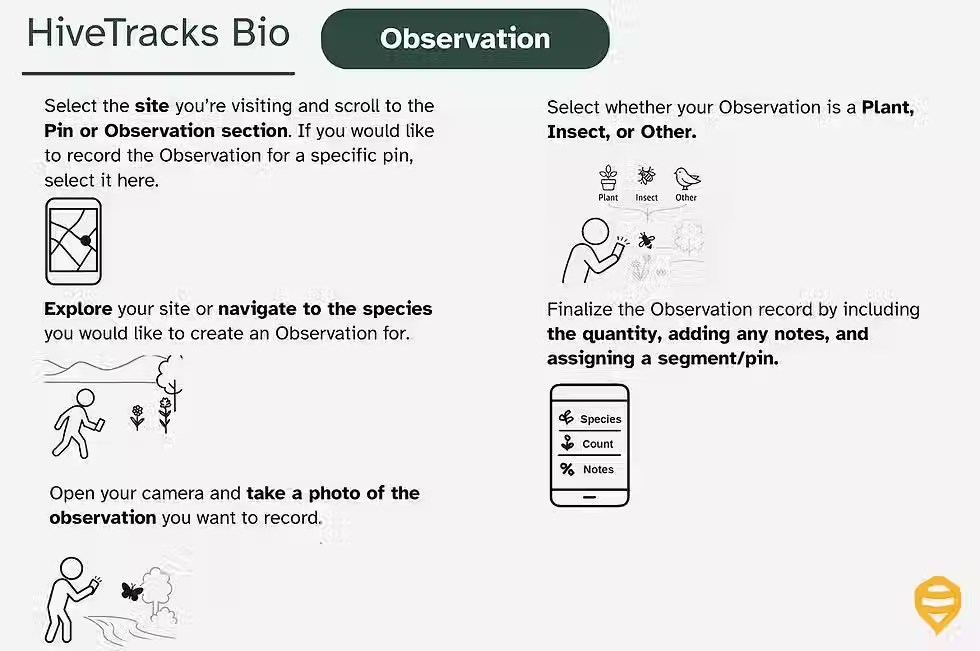
Observations are not necessary for a monitoring plan. Rather, it is a tool to capture individual species seen on the site.
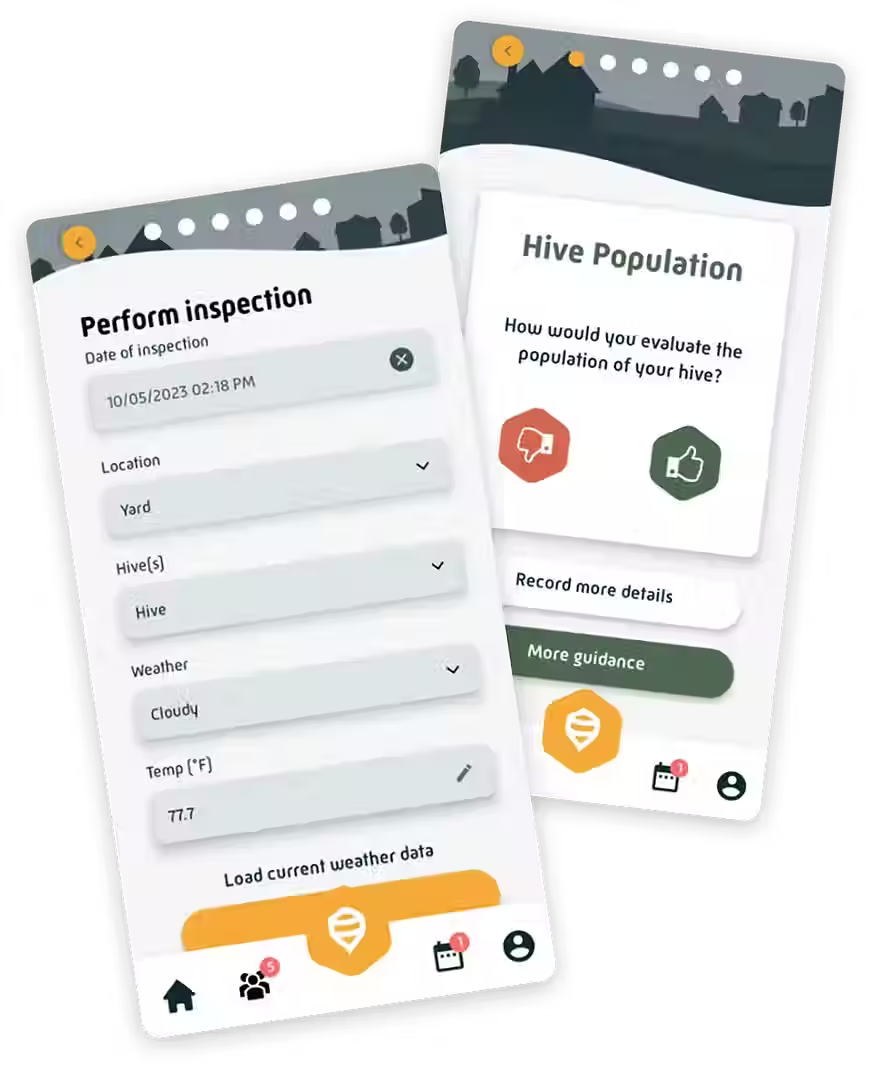
A hive inspection records colony health, activity, and overall condition within HiveTracks. Complete inspections accurately and consistently to ensure reliable hive performance data over time.
Sync your data after completing the data collection process for Quadrats/Transects/Observations to ensure all records are uploaded correctly.
As soon as you have good mobile service or wifi, make sure the syncing process is complete and confirmed.
How-To-Video
Most sites will have 1-3 eDNA tests per year. Instructions below should you need to perform an EDNA test,
Honey - Test honey for floral presence
Flowers - Pick flowers to identify pollinator visits